How it works
From a PBIP export to a fix you can paste, screen by screen.
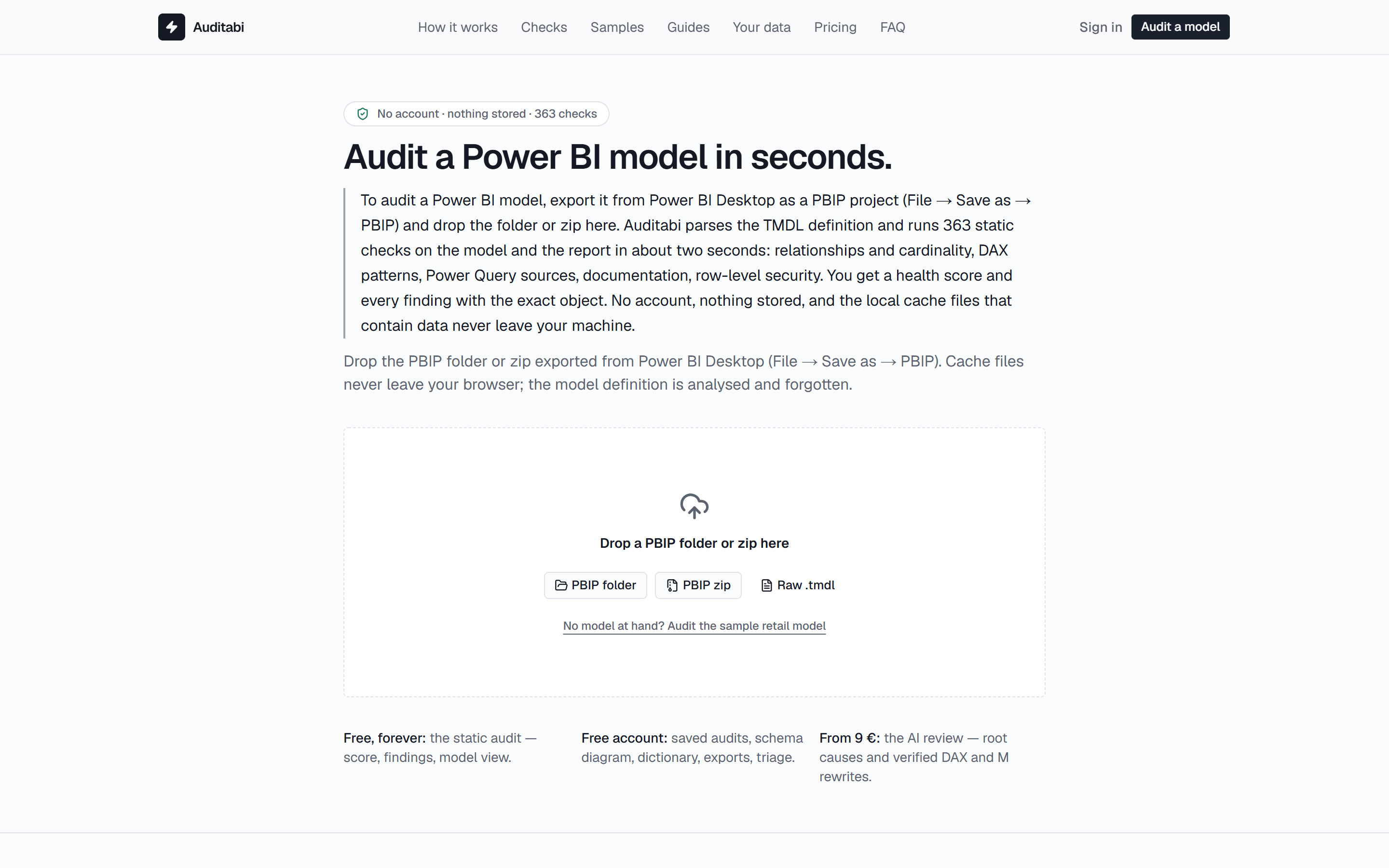
Auditing a Power BI model with Auditabi takes three actions: export the model from Power BI Desktop as a PBIP project, drop the folder on the page, and read the result. The static audit runs 363 checks in about two seconds and is free; the AI review then explains the root causes and writes verified rewrites. Every screenshot below is the real product, taken from an audit of the sample retail model.
Export the model as a PBIP project
FreeAuditabi reads the definition of the model, not its data. That definition is what Power BI Desktop writes when you save in the project format.
- 1
Enable the format once
Power BI Desktop → File → Options and settings → Options → Preview features → tick “Power BI Project (.pbip) save option”, then restart Desktop.
- 2
Save as a project
File → Save as → pick “Power BI project (*.pbip)”. Desktop writes a folder: <Name>.SemanticModel (the TMDL) and, if there is a report, <Name>.Report.
- 3
Upload the folder or a zip
Drop the whole folder, or zip it first. A raw .tmdl export from Tabular Editor works too, and covers the model checks.
Local cache files (cache.abf, localSettings.json) are the only files that contain data, and they are removed in your browser before anything is uploaded.
Upload, without an account
FreeThe anonymous audit keeps nothing: the model definition is parsed, the findings are returned, and the file is forgotten. A free account adds saving, the schema diagram, the dictionary and the exports.
- PBIP folder, PBIP zip, or a raw .tmdl / .txt export
- Nothing at hand? Audit the sample retail model in one click
- The upload is bounded at 24 MB; cache files never leave the browser
- Static audit: about two seconds, no queue
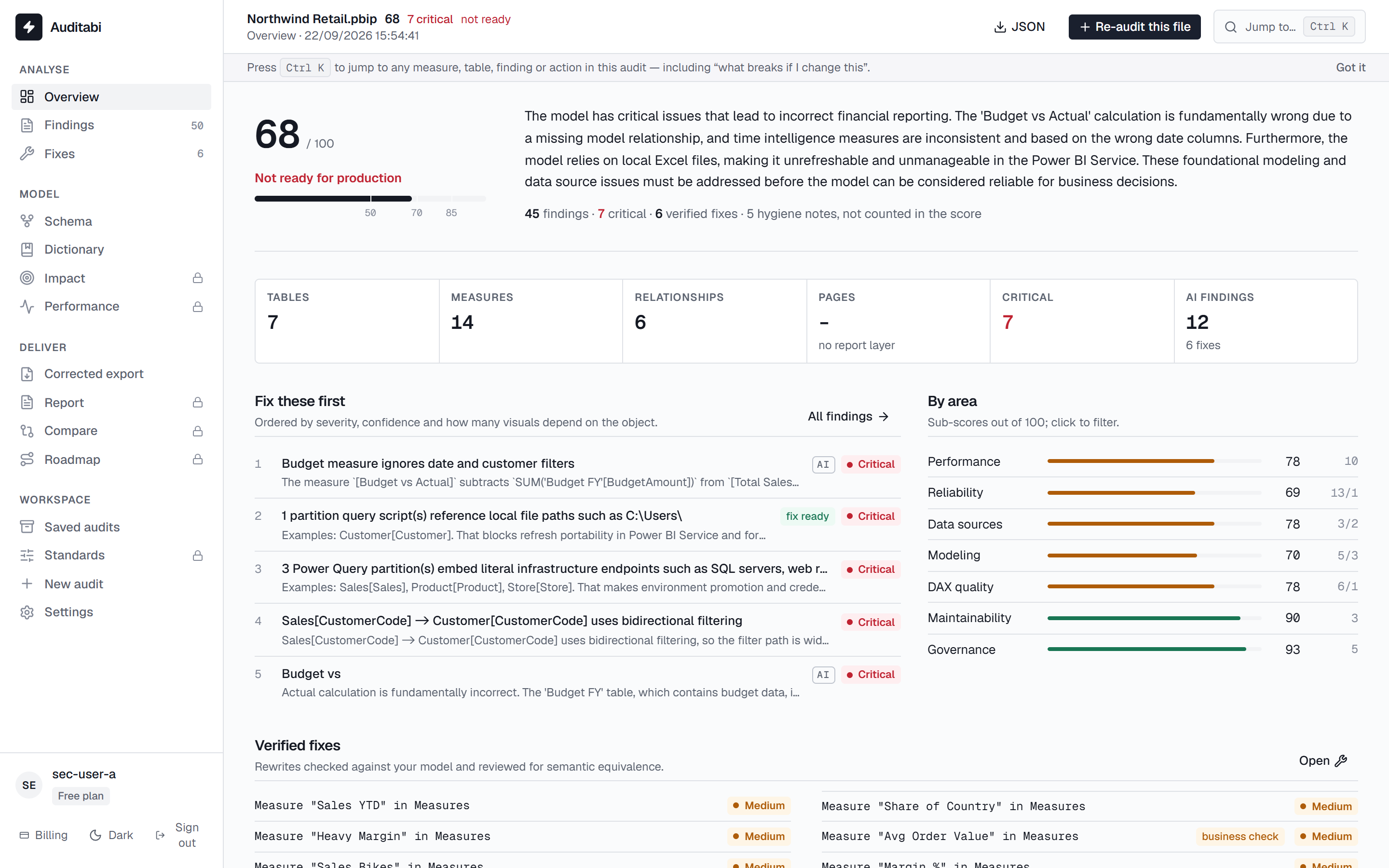
Read the health score
FreeThe score answers one question: can this model go to production. It is computed from severity and breadth, with the same family of problems counted once, so twenty formatting notes never outweigh one broken refresh.
- A release verdict: ready, review before release, or not ready
- Hygiene notes are counted apart and never move the score
- Fix these first: ordered by severity, confidence and how many visuals depend on the object
- Sub-scores per area, clickable to filter the findings
- Model shape: facts, dimensions, bidirectional relationships, marked date table
- The AI summary states the root cause in business terms
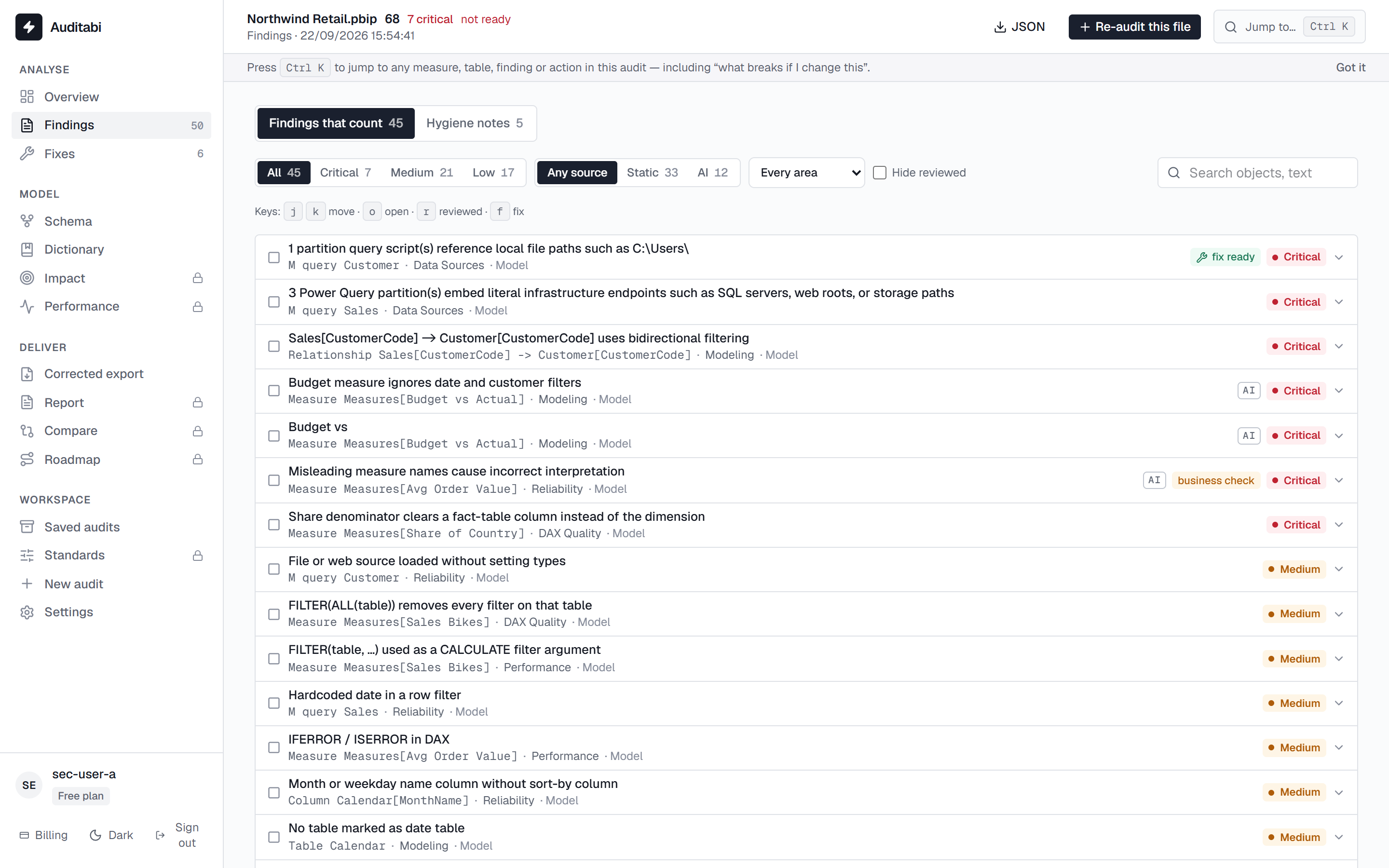
Triage the findings
FreeEvery finding names the exact object, says what is wrong, why it matters and how to fix it. Static findings are proven from the definition; AI findings are judgement and are labelled as such.
- Filter by severity, area, or static vs AI
- A separate tab for hygiene notes (conventions, documentation)
- Mark as reviewed, and hide what you have already read
- Accept a risk with a reason: it leaves the score and stays documented (Pro)
- Keyboard triage: j / k to move, r to review, f to open the fix
- Each finding carries its evidence: the objects it was proven from
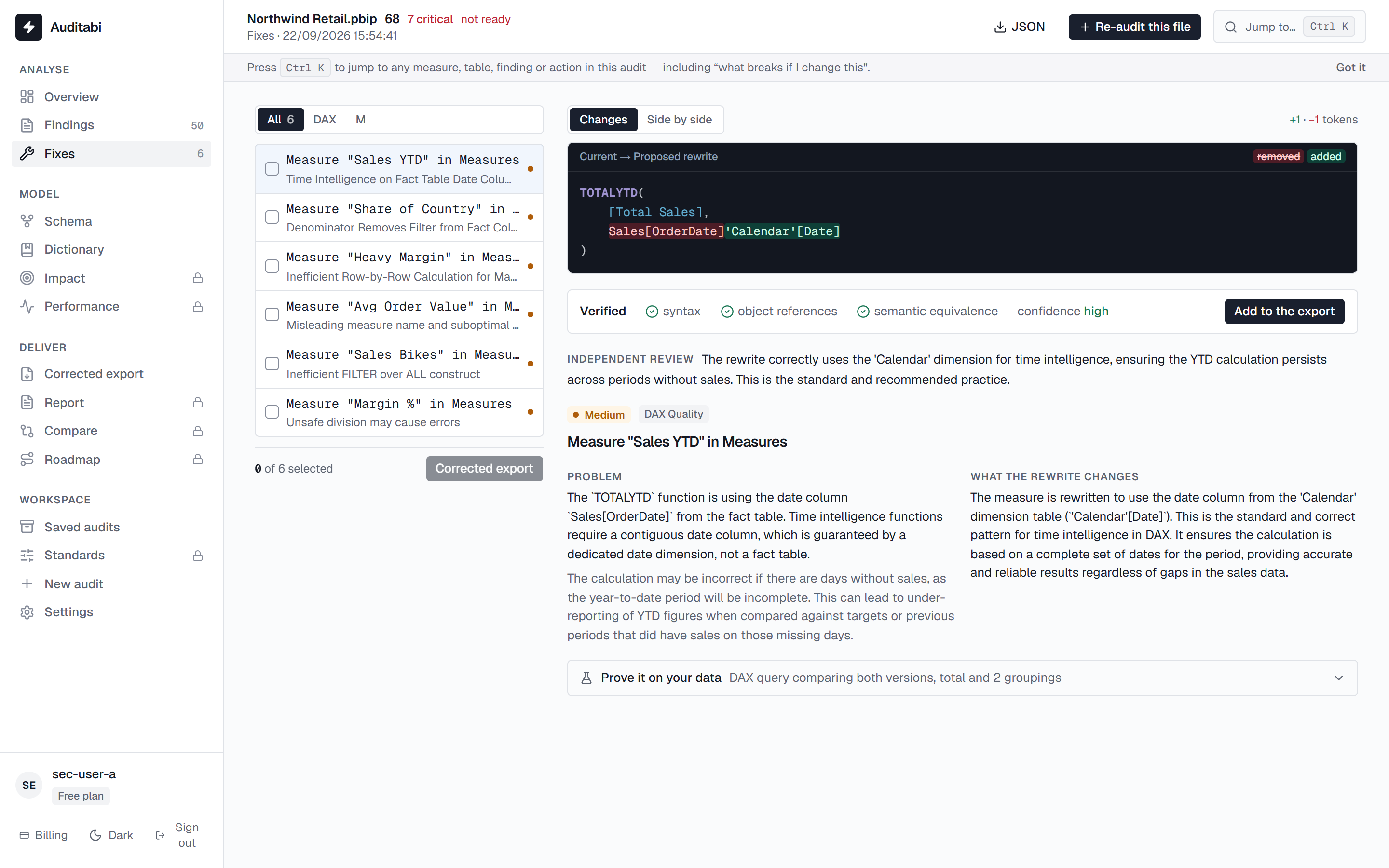
Paste a verified fix
ProThe AI review rewrites the risky measures. Each rewrite is checked for syntax and references against your model, then challenged by an independent reviewer, and it arrives with the reasoning attached.
- The problem, what the rewrite changes, and the consequence of leaving it
- The independent review verdict: equivalent, intended change, or needs business validation
- Word-level diff, or side by side
- A DAX test query that proves the rewrite on your data (Max)
- Add to the corrected export to collect the ones you accept
- Nothing is applied to your model: you copy what you decide to keep
See the model the way the engine sees it
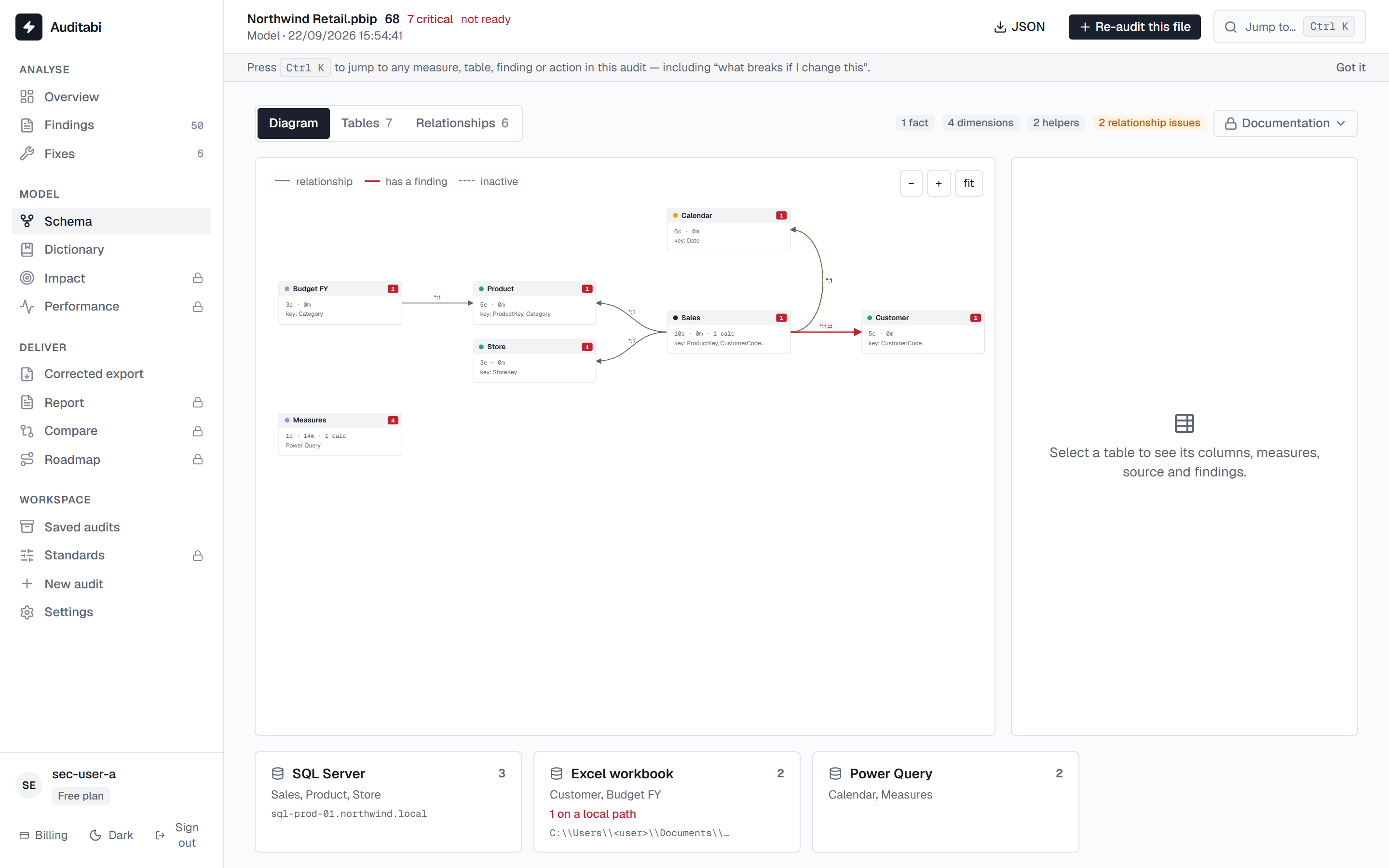
FreeThe diagram is built from the definition: fact and dimension roles, filter direction, inactive relationships and ambiguity are drawn, not guessed.
- Tables, columns, measures with their DAX and their dependencies
- Relationships with cardinality, direction and the problems attached to them
- Click any object to jump to the findings that concern it
- Export the diagram as SVG or PNG (Pro)
Hand over a documented model
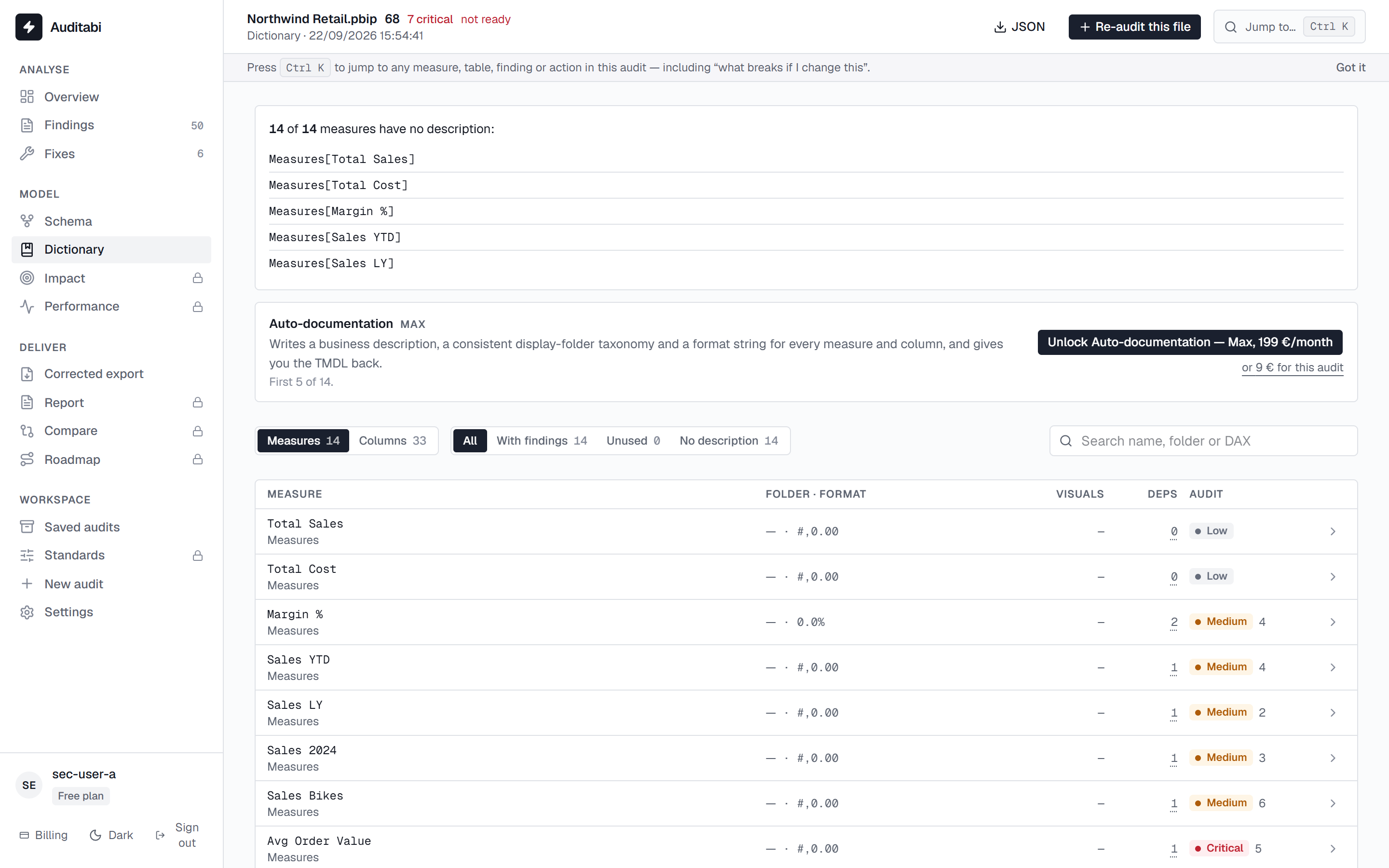
ProThe dictionary is the data catalogue of the model: every table, column and measure with its description, its format and where it is used.
- Export as Excel or Markdown for a handover
- Auto-documentation writes the descriptions, folders and format strings (Max)
- Download the documented TMDL and apply it in Desktop
- Measures show their dependencies and the visuals that read them
Know what breaks before you change it
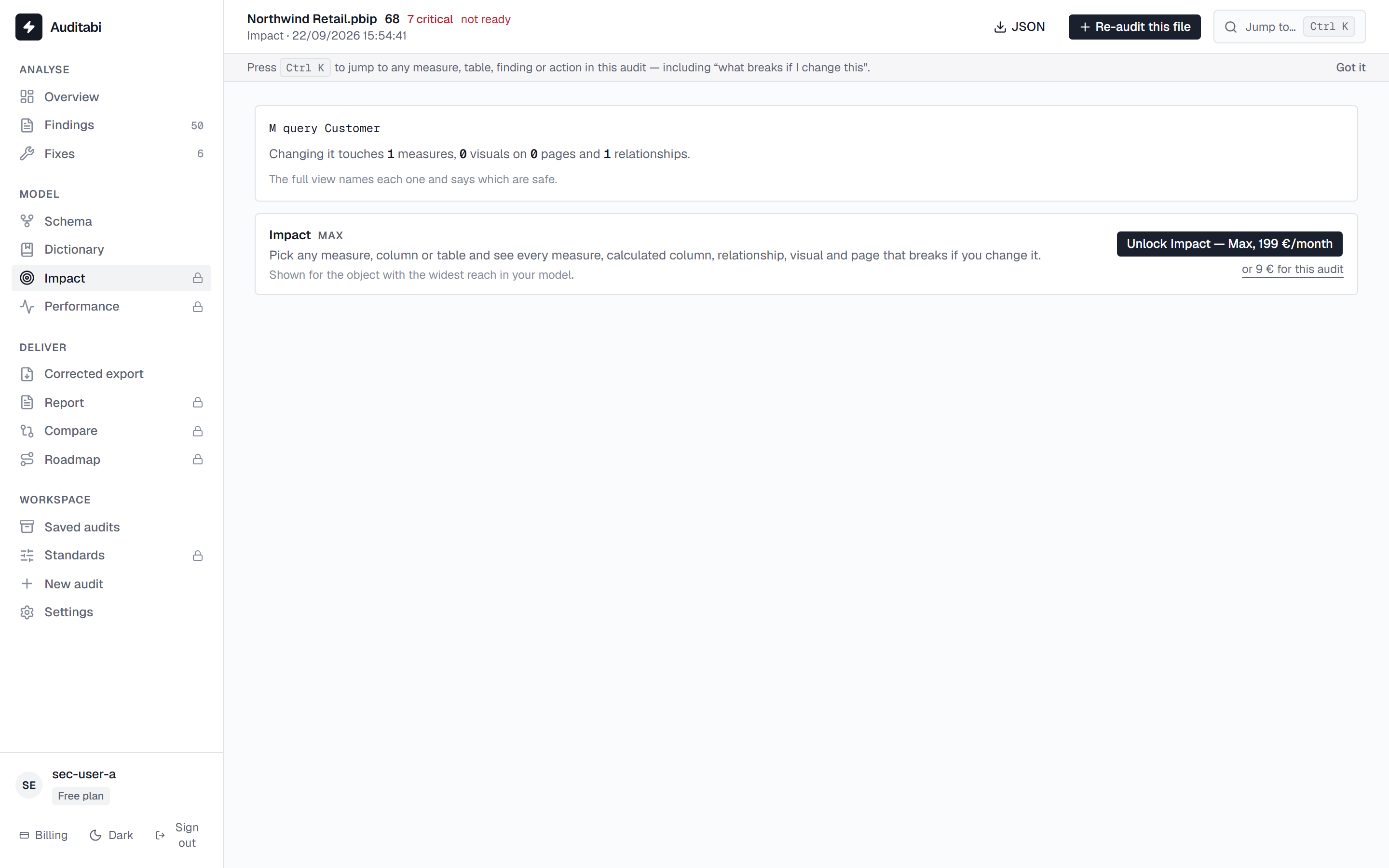
MaxImpact analysis answers the question that stops every refactoring: if I change this measure or this column, what stops working?
- The measures, tables, pages and visuals that depend on the object
- Reached through the command palette on any object
- Used by the roadmap to order the work safely
Prove where the memory goes
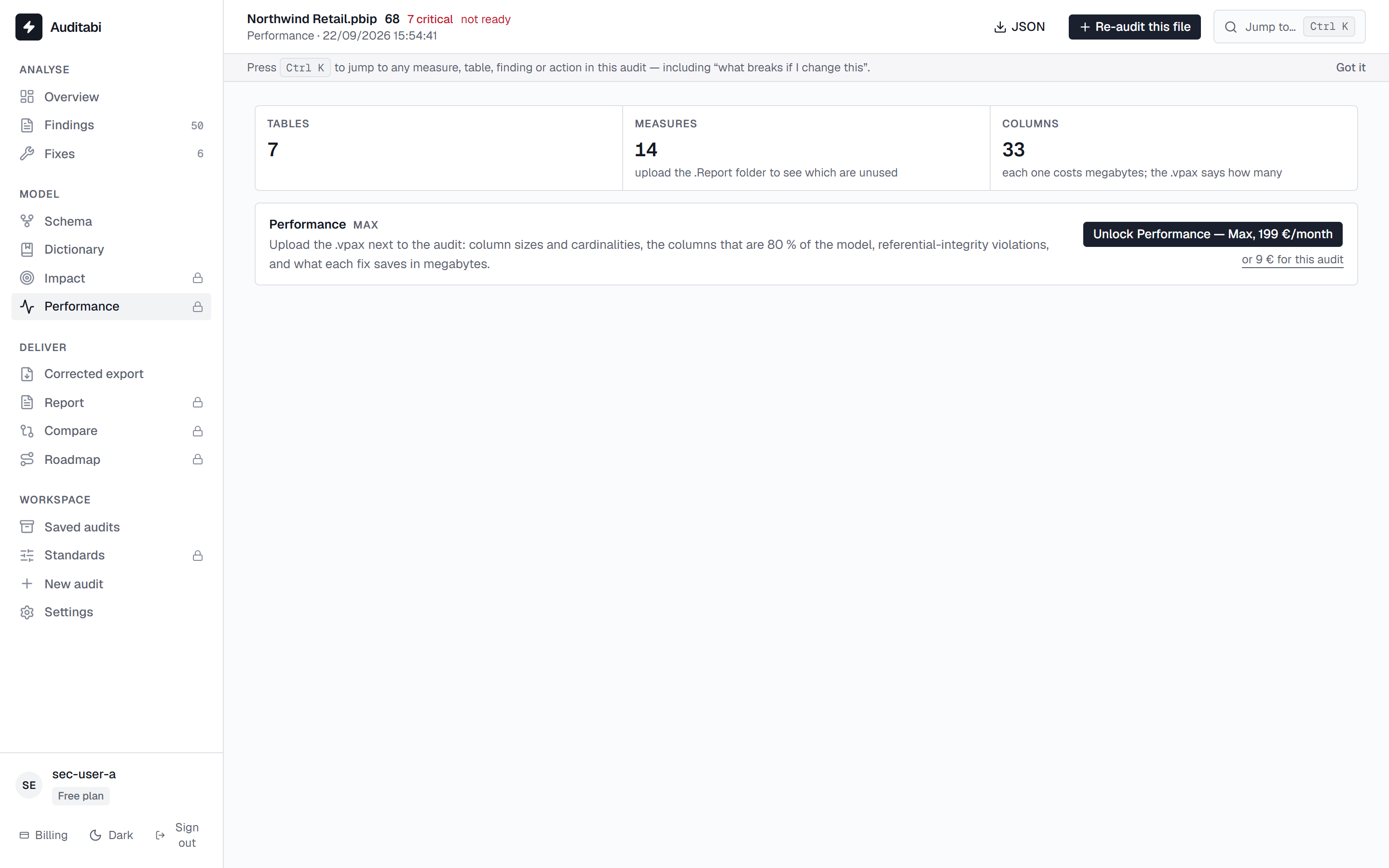
MaxExport the VertiPaq statistics from DAX Studio or Tabular Editor and drop the .vpax here. The file is parsed in your browser and joined with the audit, so “unused” means unused by the report too.
- Model size, largest tables, the columns that make 80 % of it
- Cardinality and encoding per column
- Referential-integrity violations: fact rows with no matching key
- What each fix would save, in megabytes
- The same parser is free at /tools/vpax-analyzer, without an audit
Prove the model improved
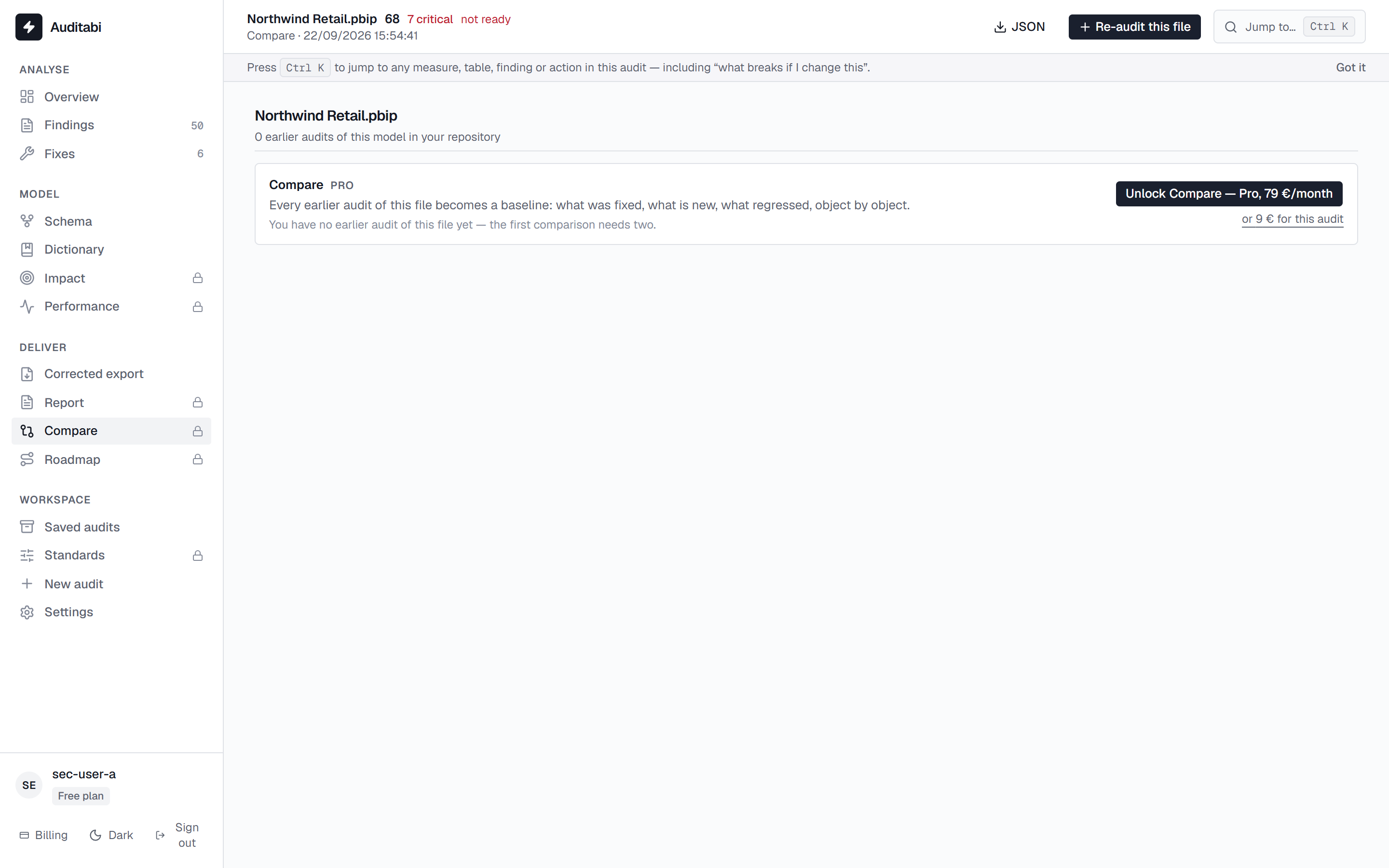
ProRe-audit after your changes and compare: what is fixed, what is new, what came back. The score trend is the number you show at the next review.
- Fixed, new and regressed findings, per object
- Score delta between two audits of the same model
- Saved audits are grouped by model, so the history follows the file
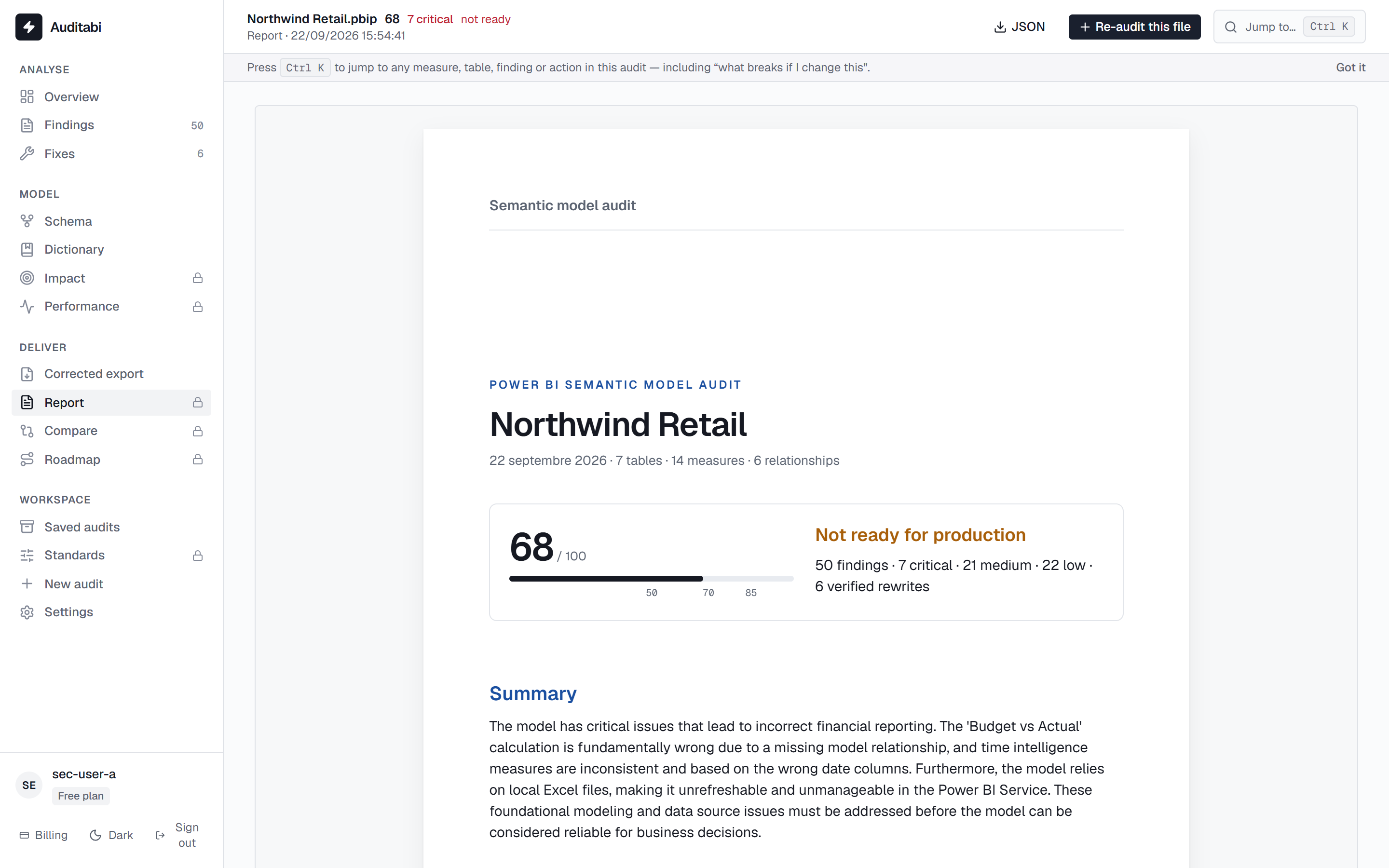
Hand a client-ready report
ProA printable report with your logo and colours: the verdict, the score, what to fix first, the findings by area, the verified rewrites and the accepted risks.
- Your branding: logo, accent colour, footer
- Choose the sections to print
- Save as PDF from the browser
- Max removes the Auditabi mention entirely (white label)
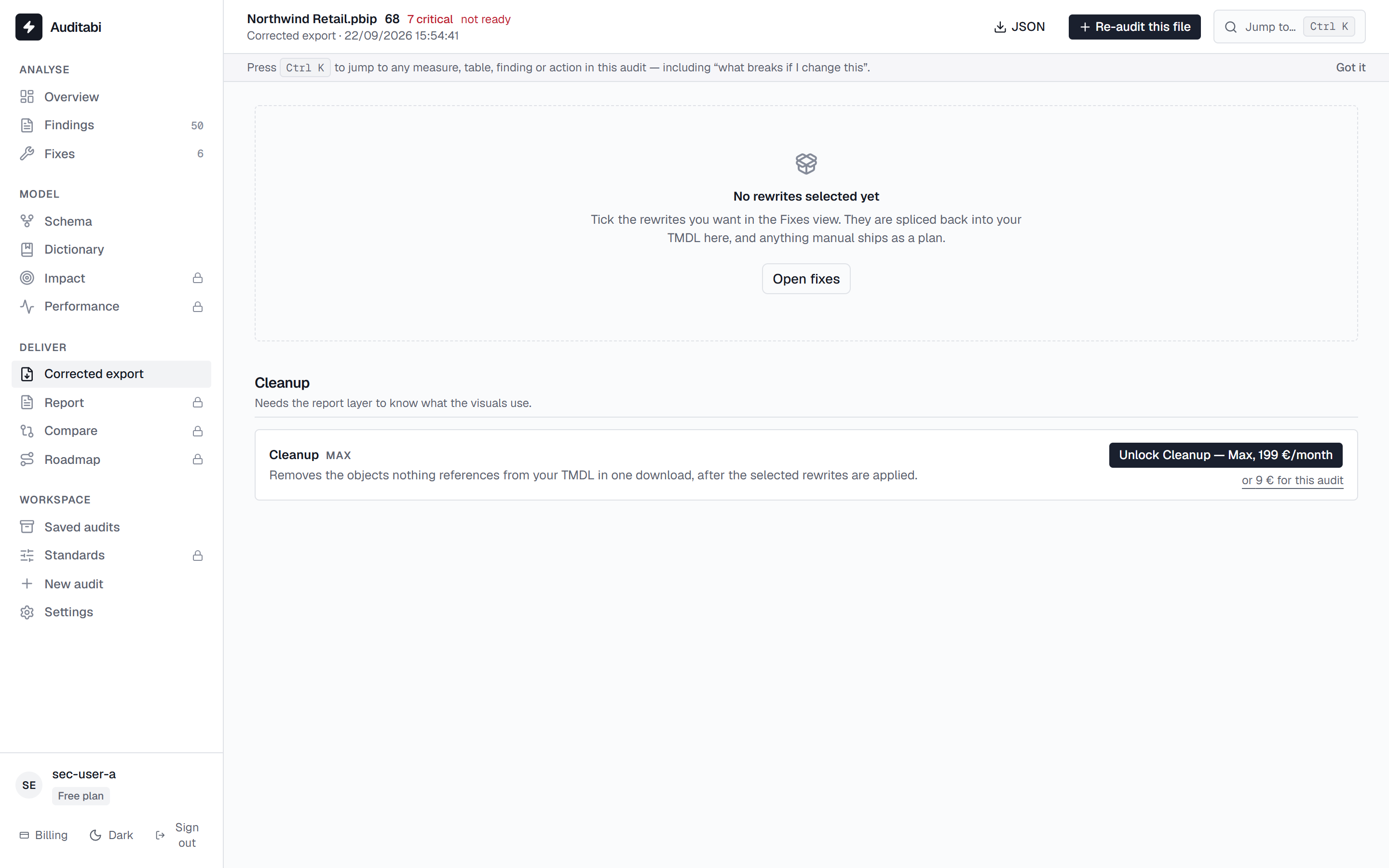
Take the corrected model back to Desktop
ProThe rewrites you accepted are applied to a copy of the TMDL. You download it, open it in Desktop or Tabular Editor, and keep control of what lands in the model.
- Corrected TMDL with the accepted rewrites only
- Cleanup export: unused measures and columns removed (Max)
- A regression test pack of DAX queries (Max)
- The audit as JSON for your own pipeline
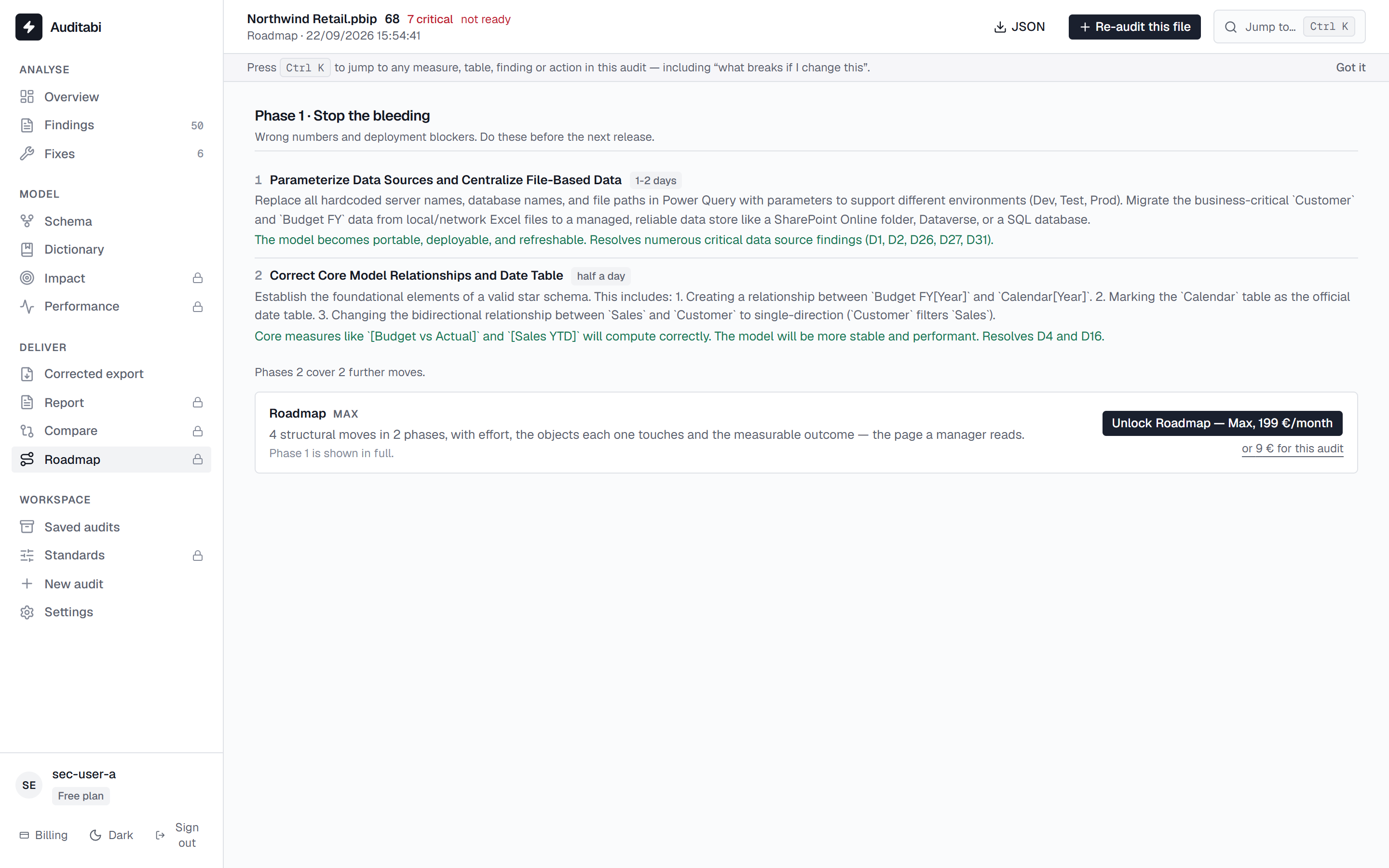
Plan the refactoring
MaxThe cross-object pass turns the findings into phased work: what to do first to stop the bleeding, what is structural, what is hygiene — with the objects, the effort and the dependencies.
- Phases ordered by risk and dependency
- Effort per move, and the objects it touches
- Printed with the report, so the plan travels with the audit
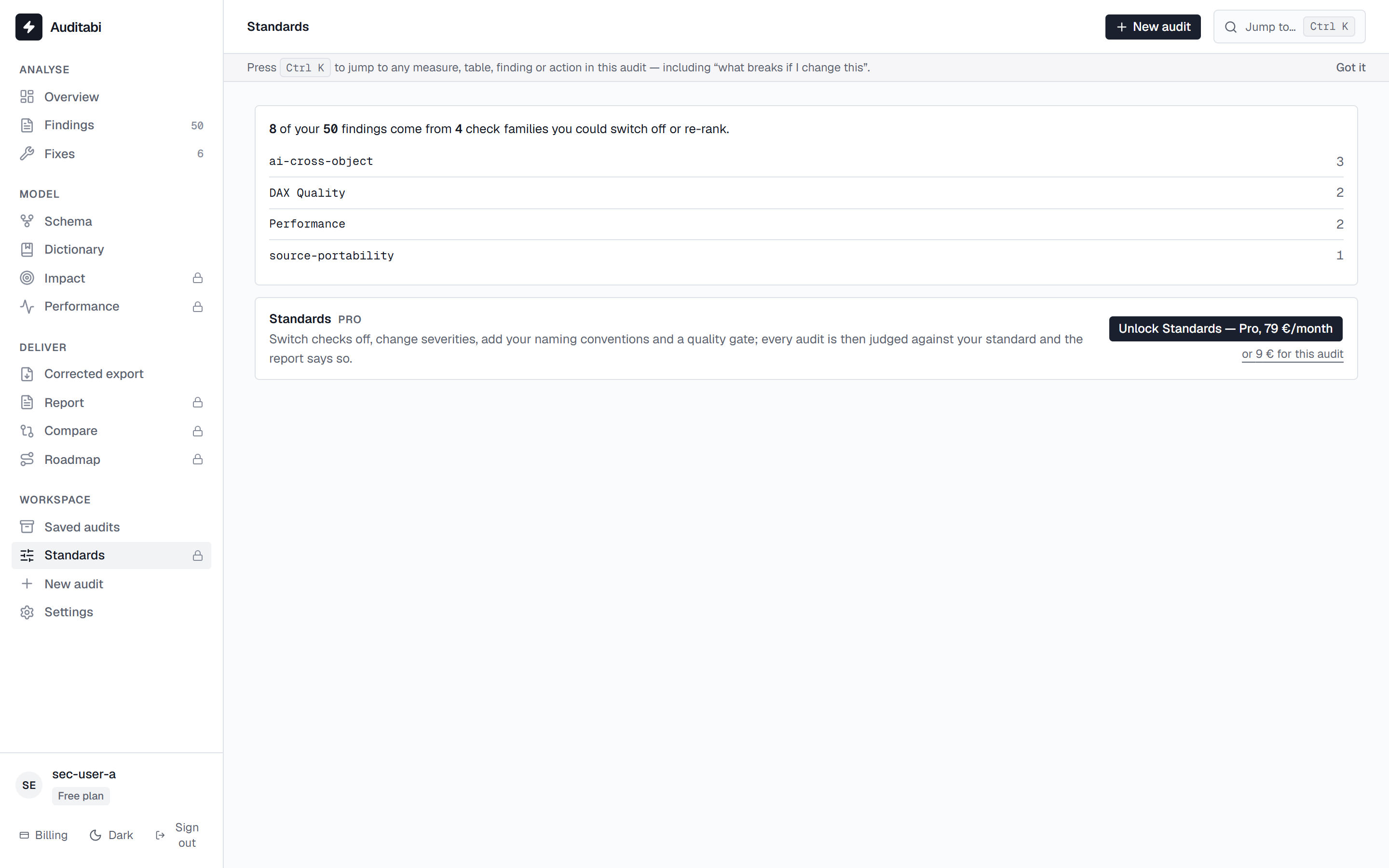
Audit against your own standard
ProYour team's rules, not ours: switch checks off, change a severity, set naming conventions and a quality gate. Every audit is then judged against your standard.
- Disable the checks that do not apply to your context
- Raise or lower a severity
- Naming conventions for measures, columns and tables
- A quality gate: the score below which a model is not ready
Keep the history, per model
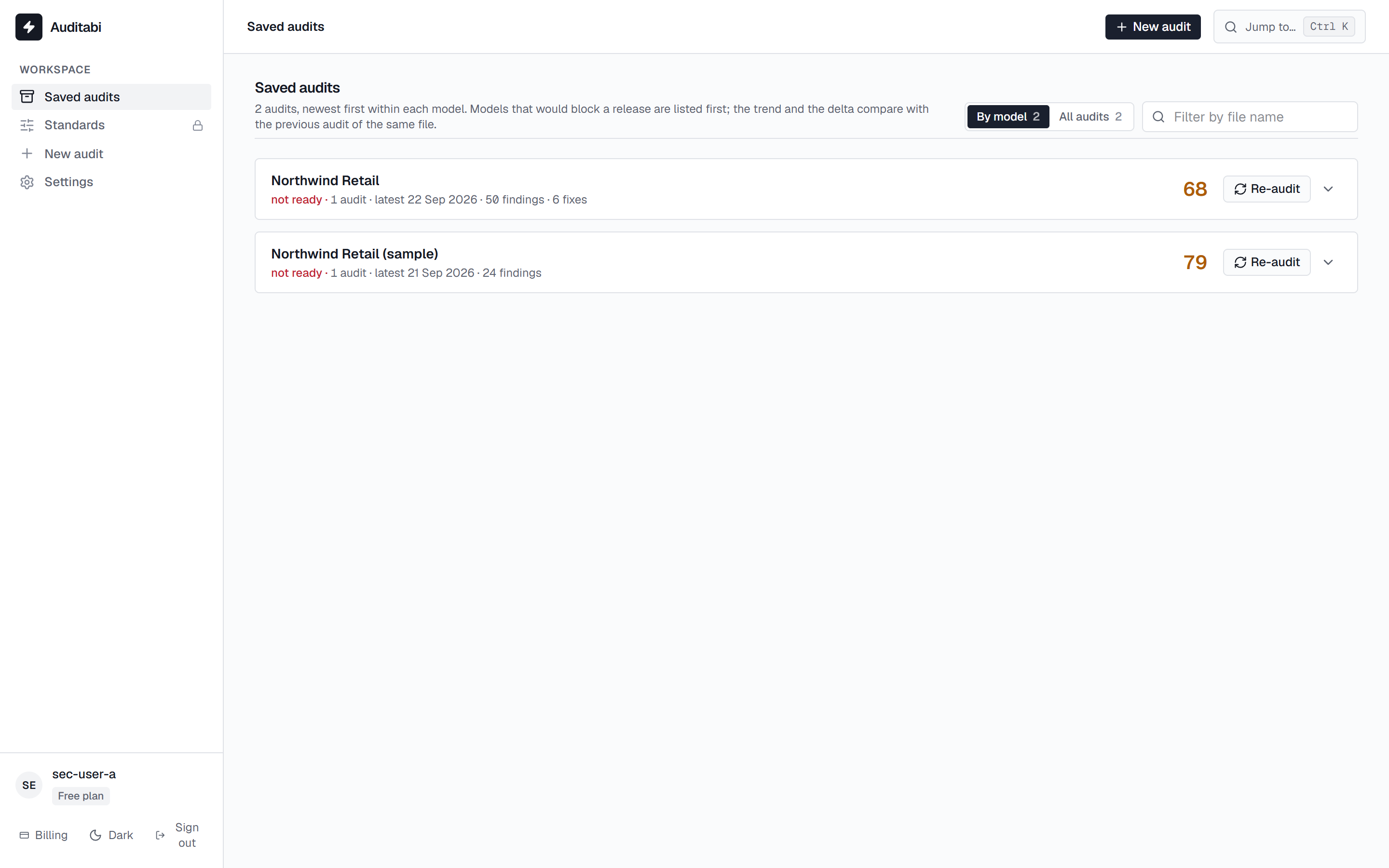
FreeSaved audits are grouped by model so you see the trend of each one, not a flat list of files. Reopen an audit at any time; the fix workspace still has the source for thirty days.
- Grouped by model, with the score delta between audits
- Search, filter, share with a colleague (Pro)
- Private mode: run an audit that is never saved (Pro)
- Command palette (Ctrl K) to jump to any view, table or measure
Plan, quota and your own AI key
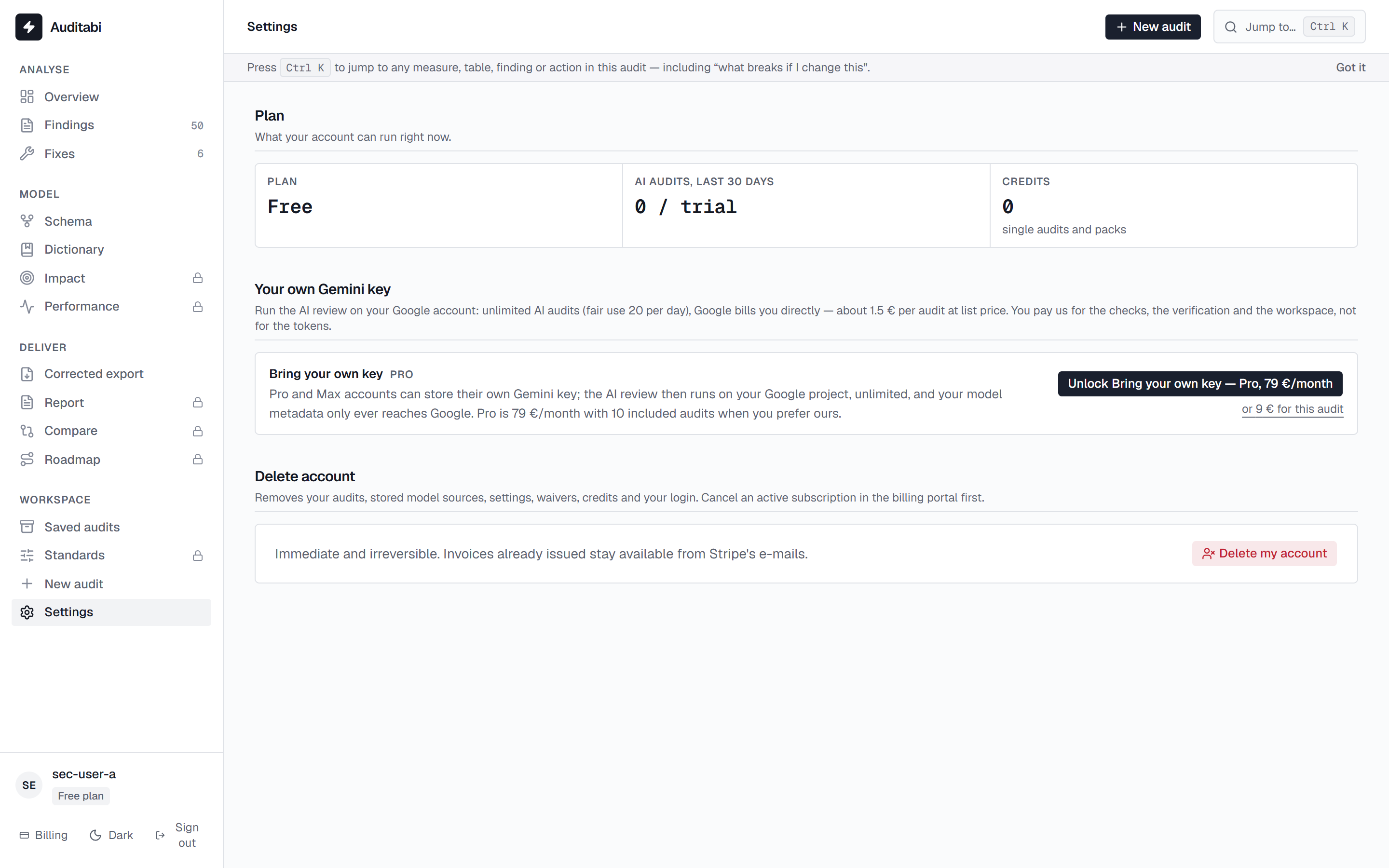
FreeSettings shows what your plan allows and what you have used. On Pro and Max you can store your own Gemini key: the audits then run on it, with no monthly quota.
- Free: unlimited static audits. Single AI audit 9 €, pack of 5 39 €
- Pro: 10 AI audits a month and the deliverables
- Max: 18 AI audits and the deep features
- Your key is encrypted; only a hint is ever shown back
Your first audit takes about two minutes.
The static audit is free and needs no account. See the 363 checks it runs.